Create your product documentation
Author MDX pages, nested navigation and reusable components in the documentation included with your product.
Two documentation projects
The starter includes a Fumadocs product site at /docs, with product/API/MCP examples. Customize that collection to explain your customer's app, including its real permissions and workflows. This seller manual is a separate project that explains how to build the app. Keep internal implementation notes outside both public collections.
The installed Fumadocs UI, Core and MDX packages supply sidebar navigation, page contents, breadcrumbs, highlighted code, search and Markdown actions. Use the release's exact dependencies and lockfile. npm ci generates the ignored .source collection through the postinstall hook; do not hand-edit that output.
Create one complete MDX guide
After implementing workspace notes, create content/docs/guides/notes/create.mdx in your product copy. This complete example describes the base recipe, where owners/admins create notes and members read them. Adjust the paid-access paragraph if you install the paid variant.
---
title: Create a workspace note
description: Save a short decision or next action for the people in your workspace.
---

## Before you start

Select the workspace where this note belongs. You must be an owner or admin
to create notes. Members can read the latest 50 notes.

<Callout title="Keep shared notes useful">
  Include a decision and a next action. Do not paste passwords or private keys.
</Callout>

## Create your note

<Steps>
<Step>
### Open Notes
Choose Notes in the dashboard and check the selected workspace name.
</Step>
<Step>
### Write and save
Enter 1–2,000 characters and choose Save note. Wait for the result message.
</Step>
<Step>
### Check the list
The new note appears at the top of the latest notes. If the save failed,
keep the text and use the retry guidance shown by the form.
</Step>
</Steps>

## Example note

```text
Decision: review the onboarding copy on Friday.
Next action: Maya will collect the three confusing screens before noon.
```

## If you cannot save

Check that you still manage this workspace and the body is within the limit.
Switching workspaces or losing membership can invalidate an older form.
Refresh the page after saving your draft somewhere private.
The frontmatter supplies the page title and description. Use one clear H1 supplied by the page layout, then H2/H3 headings in the body. Headings generate anchors and the table of contents. A renamed heading changes its default anchor; preserve popular links or add an intentional stable ID.
Nest folders and meta.json
Create a folder metadata file beside the guide:
{
  "title": "Workspace notes",
  "defaultOpen": true,
  "pages": ["create"]
}
Add "notes" to the existing pages array in content/docs/guides/meta.json, keeping the current entries you still want. The folder becomes an expandable group; the file becomes /docs/guides/notes/create. You do not need an index.mdx unless that group needs its own landing page.
Use defaultOpen: false for a secondary group. Keep root unset for ordinary nested sections; it creates a separate navigation tree. Root separators such as "---Connect---" are labels, not extra pages. Icon names come from the explicit allowlist in lib/docs-source.ts; import and register any new Lucide icon there.
Reuse the component registry
components/docs/mdx.tsx exposes approved components without imports in every guide. The included cookbook at your product's /docs/guides/components shows the current registry.
| Component | Good use |
|---|---|
Callout | A concrete prerequisite or behavior that affects the next step |
Steps, Step | A required sequence with headings and commands |
Tabs, Tab | Genuine alternatives, such as POSIX shell and PowerShell |
Cards, Card | A small set of next destinations |
Files, Folder, File | Source structure |
Accordions, Accordion | Optional troubleshooting detail |
TypeTable, Endpoint | Field and HTTP-operation references |
Do not hide required production prerequisites in a collapsed disclosure. Code fences should be complete enough to copy and label their language and filename. Use text for a sample note, sh for a labelled shell command and tsx for a component. Avoid making output examples look like commands.
Here is the same kind of component rendered in this manual:
Keep shared notes useful
Include a decision and a next action. Do not paste passwords or private keys.
Search and Markdown export
app/api/docs/search/route.ts indexes the public collection. After adding the guide, search for “Create a workspace note” and a distinctive body phrase. Open the result and verify it reaches the correct heading/page. The article's Copy Markdown and View Markdown actions use /api/docs/markdown/<slug>.
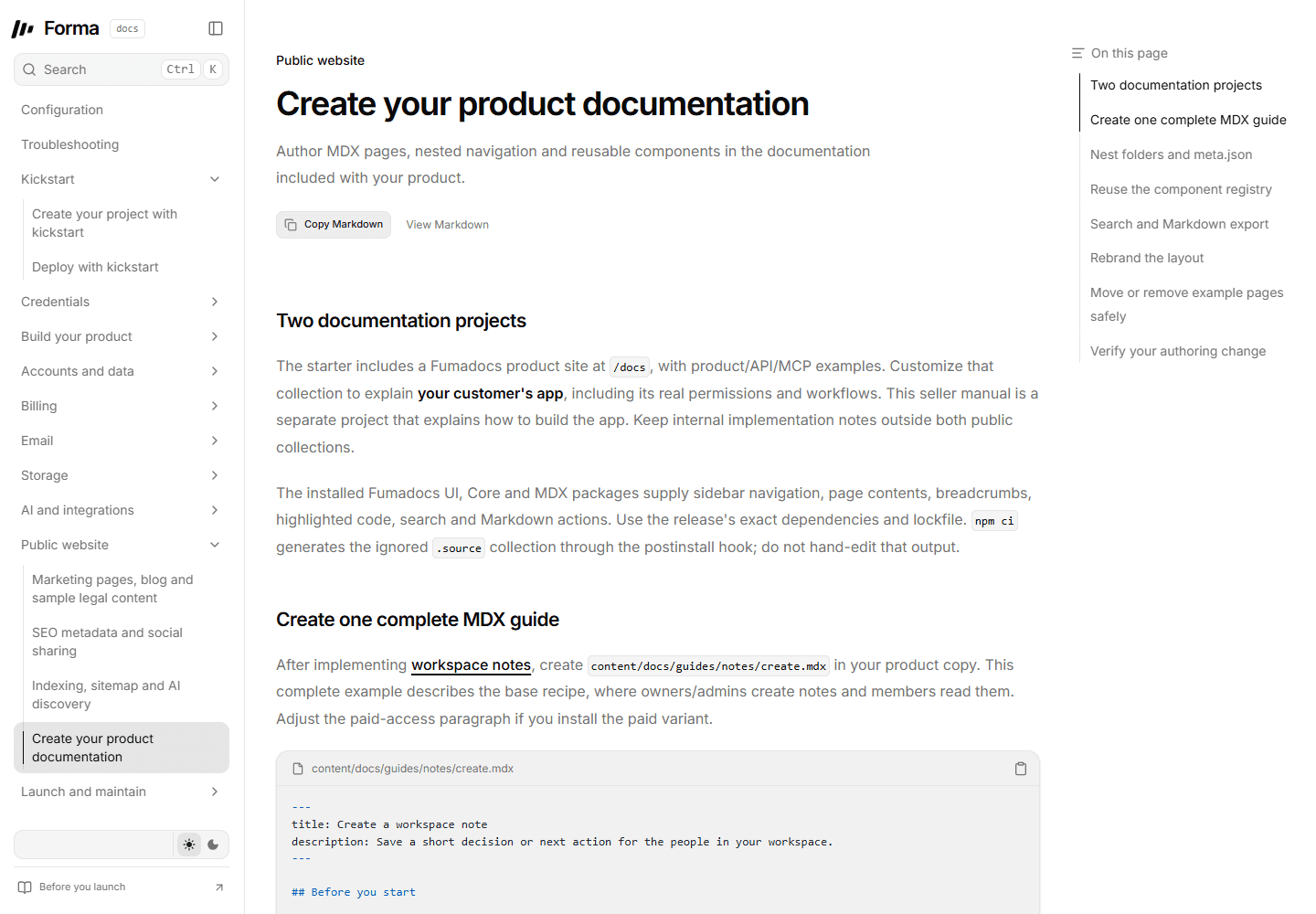
Local authoring-guide preview. The optional buyer-product notes page is the source example in this guide.
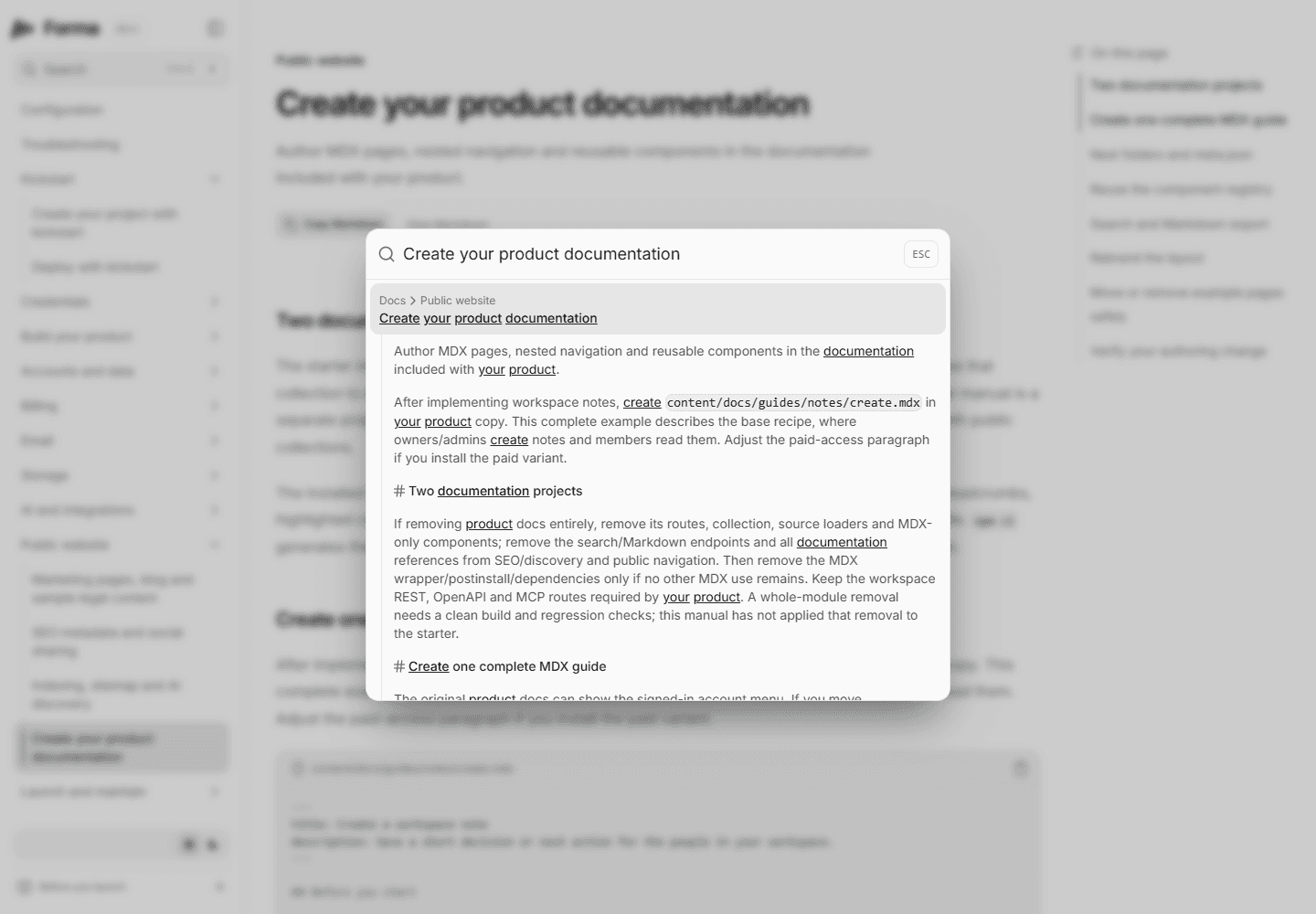
Search result captured from this standalone manual. A buyer copy should separately verify its new notes page.
Add a text renderer in components/docs/markdown.tsx whenever you invent an MDX component. Its text should include the information a reader needs, not only its visual label. Keep prose available to search as well: content hidden inside opaque component properties may need accompanying plain text. Follow the installed Fumadocs integration, rather than pasting an example for another major version. Official Fumadocs Markdown guidance explains the public export approach.
/llms.txt and /llms-full.txt use the same public source. Hiding a page in navigation does not remove it from these exports. Never put credentials, customer examples, setup receipts or internal project plans in the collection.
Rebrand the layout
Edit app/docs/layout.tsx for header/sidebar links, app/docs/docs.css for scoped spacing and typography, and app/docs/[[...slug]]/page.tsx for page actions/contents. Brand text comes from config/site.ts. Replace the workspace diagram in components/docs/overview.tsx with a truthful explanation of your own product.
The original product docs can show the signed-in account menu. If you move documentation into a separate site, remove its publicAccount() and other runtime imports, supply independent branding/links, and give it its own content loader. Do not make a static manual require a customer database simply to render a header.
Move or remove example pages safely
For a moved published guide, add a redirect in the existing next.config.mjs configuration while preserving its MDX wrapper and other options:
async redirects() {
  return [{
    source: '/docs/guides/old-notes',
    destination: '/docs/guides/notes/create',
    permanent: true,
  }];
}
This is a configuration member to merge, not a whole replacement config. Update links, navigation and discovery references. Remove a stale example MDX file from the collection when its public content should disappear; meta.json alone is insufficient.
If removing product docs entirely, remove its routes, collection, source loaders and MDX-only components; remove the search/Markdown endpoints and all documentation references from SEO/discovery and public navigation. Then remove the MDX wrapper/postinstall/dependencies only if no other MDX use remains. Keep the workspace REST, OpenAPI and MCP routes required by your product. A whole-module removal needs a clean build and regression checks; this manual has not applied that removal to the starter.
Verify your authoring change
Run npm run typecheck, npm run lint and npm run build. With npm run dev already running, inspect the new page on desktop/mobile and in both themes. Test the nested sidebar, breadcrumb, heading links, code copy, search result and both Markdown actions. Confirm a removed draft no longer appears in exports, and a moved URL redirects. The existing tests/e2e/docs.spec.ts is the starting browser suite. A local rendered example is useful evidence; it does not verify a separate future marketing-site integration.
Template 0.0.1 · September 2026 source snapshot